Can QuickTime Play OGG Files? (and What to Use Instead)
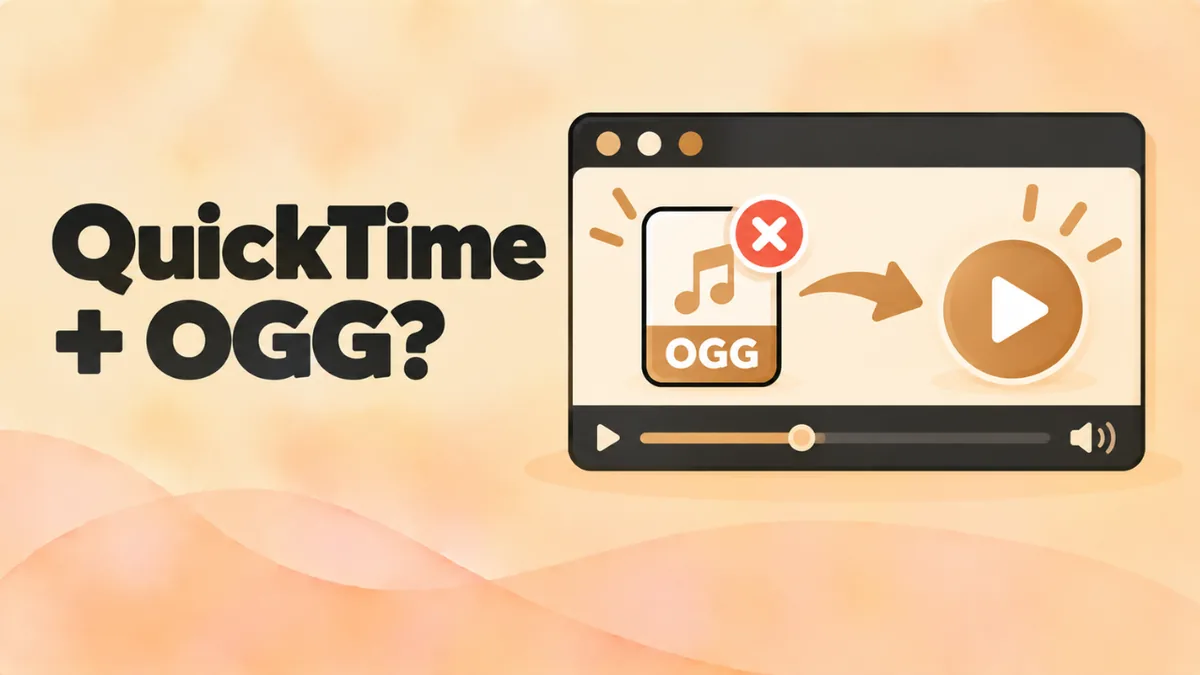
You try to open an OGG file on your Mac and QuickTime Player shows an error. You might see “The document could not be opened.” You’re not doing anything wrong. QuickTime just wasn’t built for this format.
This guide explains why QuickTime won’t play OGG files. It covers the old plugins that used to fix it. And it shows the best free ways to play OGG on a Mac today.
The quick answer
No, QuickTime Player can’t play most OGG files. Apple built it for formats like MP4, MOV, AAC and MP3.
To play an OGG file on a Mac, use one of these instead:
- our free online OGG player in Chrome, Firefox or Safari (macOS 15.4 or later),
- VLC or IINA, two free media players,
- or convert the file to MP3 so QuickTime can open it.
Why QuickTime doesn’t support OGG
QuickTime Player uses Apple’s media framework to decode audio and video. That framework supports the formats Apple chose to include. Most are industry formats like H.264, HEVC, AAC, ALAC and MP3.
OGG comes from a different world. It’s an open, royalty-free format made by the Xiph.Org Foundation. Its main codecs are Vorbis and Opus. Apple never added them to QuickTime Player.
Apple did add OGG audio support to Safari in macOS Sequoia 15.4. But that support lives in Safari’s web engine. QuickTime Player is a separate app. So even on a new Mac, don’t expect a double-click in Finder to open an OGG file in QuickTime.
What about the old QuickTime plugins?
Years ago, you could make QuickTime play OGG files with plugins. You might still see them mentioned in old forum posts.
XiphQT
The Xiph.Org Foundation made XiphQT, a set of QuickTime components. It added Ogg, Vorbis, Speex and FLAC support to QuickTime 7, the older version of QuickTime.
Perian
Perian was a popular free plugin that added many formats to QuickTime 7. Its developers stopped working on it in 2012.
Why they don’t work anymore
Apple replaced QuickTime 7 with QuickTime Player X in Mac OS X Snow Leopard. The new player uses a different media system. It doesn’t load the old components, so plugins like XiphQT and Perian don’t help on modern macOS.
In short: forget the plugins. Use a player that supports OGG out of the box.
The best QuickTime alternatives for OGG files
1. Online OGG player (no install)
Our online OGG player plays OGG files right in your browser.
- Open Chrome, Firefox or Edge. Safari also works on macOS 15.4 or later.
- Go to openoggfile.com.
- Drag your OGG file onto the page, or click Choose file.
- Press play.
It doesn’t upload your file. The browser reads it from your Mac.
It also does a few things QuickTime can’t:
- show a waveform you can click to jump around,
- play at 0.5× to 2× speed,
- trim the audio to a start and end time,
- save the file as MP3 or WAV.
2. VLC media player
VLC is free, open source and made by the non-profit VideoLAN project. It plays OGG, OGA, OPUS and OGV files, plus almost every other format.
- Download it from videolan.org.
- Open the .dmg file and drag VLC into Applications.
- Drag your OGG file onto the VLC window.
3. IINA
IINA is a free, open-source player built only for macOS. It looks like a native Mac app, with dark mode and trackpad gestures. It plays OGG files out of the box.
- Download it from iina.io.
- Drag it into Applications.
- Open your OGG file with it.
If you like QuickTime’s clean look, IINA will feel familiar.
QuickTime vs VLC vs IINA for OGG
| Feature | QuickTime Player | VLC | IINA |
|---|---|---|---|
| Plays OGG audio | No | Yes | Yes |
| Plays .opus voice notes | No | Yes | Yes |
| Plays OGV video | No | Yes | Yes |
| Free | Yes (built in) | Yes | Yes |
| Mac-style design | Yes | Basic | Yes |
| Converts files | Export for Apple formats | Yes | No |
How to make QuickTime play an OGG file anyway
If you really want to use QuickTime, convert the OGG file to a format it understands. MP3 works everywhere. For the best Apple compatibility, M4A (AAC) is also fine.
Convert OGG to MP3 online
- Open the file in the online OGG player.
- Pick a quality. Use 128 kbps for voice and 192 kbps or more for music.
- Click Download MP3.
- Double-click the MP3. It opens in QuickTime Player.
Convert with VLC
- Open VLC and go to File > Convert / Stream.
- Drag in your OGG file.
- Choose a profile, such as Audio – MP3.
- Click Save as File, pick a folder and click Save.
Converting can’t improve the sound. But at a good bitrate, you won’t hear a difference.
Stop QuickTime from opening OGG files
If your Mac keeps sending OGG files to QuickTime, change the default app:
- Right-click an OGG file in Finder and choose Get Info.
- Under Open with, choose VLC or IINA.
- Click Change All…, then Continue.
From now on, every OGG file opens in the app you picked.
Why not just use Safari?
On macOS 15.4 or later, Safari can play OGG audio. So you might wonder why you need anything else.
Safari works well for a quick listen, especially with the online player. But it has limits:
- It can’t show OGV video, because it doesn’t support Theora.
- It won’t open rare OGG codecs like Speex or FLAC in Ogg.
- It doesn’t help on older Macs that can’t update to macOS 15.4.
- It isn’t a music library. You can’t build playlists from OGG files.
For those jobs, a real player like VLC or IINA is the better tool.
What about QuickTime on Windows?
Some people still have QuickTime for Windows installed from years ago. It never played OGG files without plugins either.
More importantly, Apple stopped supporting QuickTime for Windows in 2016. It no longer gets security fixes, and security experts advised users to uninstall it at the time. If it’s still on your PC, remove it. Use VLC, the Windows Media Player app or our online OGG player instead. See our guide on opening OGG files on Windows 11 for details.
What about OGV video in QuickTime?
OGV files are Ogg videos, usually with the Theora video codec. QuickTime can’t play them. Safari can’t show Theora video either, even on the newest macOS.
Use VLC or IINA to watch OGV files. If you only need the sound, open the file in the online player and download it as MP3.
What about WhatsApp voice notes?
WhatsApp saves voice notes as .opus files. Telegram uses .ogg files. Both contain Opus audio, which QuickTime can’t play.
Drag the file into the online OGG player or open it in VLC. If you want to keep a copy that plays in QuickTime and Apple Music, click Download MP3.
Why this matters for Apple Music and iPhone
QuickTime is only part of the story. The Music app also can’t import OGG files. And iPhones can only play OGG in Safari on iOS 18.4 or later.
If your OGG files need to live in your Apple world, convert them to MP3 or M4A once. After that, they’ll play in QuickTime, Music, Finder previews and on your iPhone. See our guides on opening OGG files on Mac and playing OGG files on iPhone for more.
Troubleshooting
“The document could not be opened”
That’s QuickTime telling you it can’t read the format. Use VLC, IINA or the online player.
The file won’t play in VLC either
The file may be broken or not a real OGG file. Someone might have renamed an MP3 or M4A file. The online player checks the file header and tells you if it isn’t a true Ogg file.
Finder shows no preview
Quick Look uses the same Apple media system as QuickTime. So it often shows a blank preview for OGG files. That’s normal and doesn’t mean the file is broken.
Safari won’t play the file
Check your macOS version in Apple menu > About This Mac. Safari plays OGG only on macOS 15.4 or later. On older versions, use Chrome or Firefox.
FAQ
Can QuickTime Player play OGG files?
No. QuickTime Player doesn’t support the Vorbis or Opus codecs used in OGG files. Use VLC, IINA or an online OGG player.
Is there a QuickTime plugin for OGG?
There used to be. XiphQT and Perian added OGG support to QuickTime 7. They don’t work with the modern QuickTime Player.
What’s the best free alternative to QuickTime for OGG?
VLC or IINA. Both are free and safe. IINA looks more like QuickTime. VLC has more features, including a built-in converter.
How do I convert OGG to a QuickTime format?
Use the online OGG player and click Download MP3. QuickTime plays MP3 files.
Does macOS Sequoia add OGG support to QuickTime?
macOS Sequoia 15.4 added OGG audio support to Safari. That doesn’t make QuickTime Player a good OGG player. If a double-click opens the file in QuickTime and it fails, switch to VLC, IINA or the online player.
Can I edit OGG files in GarageBand or iMovie?
Apple’s creative apps are built around Apple formats too. The safe route is to convert the OGG file to MP3, WAV or M4A first. Then import the new file into your project.
Does QuickTime support OPUS files?
No. Use VLC, IINA or the online player for .opus files.
Final word
QuickTime Player was never built for OGG, and the old plugins are long gone. Don’t fight it. Use the free online OGG player for a quick listen, or install VLC or IINA for everyday use. And if you need QuickTime or Apple Music to play the file, convert it to MP3 first.